
As tax season approaches, one of the most common questions employees ask is how to access their W-2 form. Your W-2 is an important document that summarizes your earnings and the taxes withheld from your paycheck during the previous year. You will need this form when preparing and filing your federal and state income taxes.
If your employer partners with Worksite for payroll services, you can easily access your W-2 online through the Worksite employee portal.
Below is a simple guide to help you locate and download your W-2.
What Is a W-2?
A W-2 form, officially called the Wage and Tax Statement, is issued by employers each year. It reports:
- Total wages earned during the year
- Federal income taxes withheld
- Social Security and Medicare taxes
- State and local tax information, when applicable
Employers are required to provide W-2 forms to employees by January 31 each year so they have enough time to prepare their tax returns.
Accessing Your W-2 Through the Worksite Website
Employees can access their W-2 through the Worksite employee portal. Follow these steps:
Step 1: Visit the Worksite Website
Go to the Worksite website (www.WorksiteHR.com) and navigate to the Employee Login section at the top of the page.
Step 2: Log Into the Employee Portal
Enter your username and password to access your employee account. If you are logging in for the first time, you may need to complete a brief registration process.
Step 3: Open Your Payroll or Tax Documents
Once logged in, locate and click the icon for Taxes in the left column. This area contains important records related to your employment. Please make sure you allow pop-ups in your browser to allow the page to open.
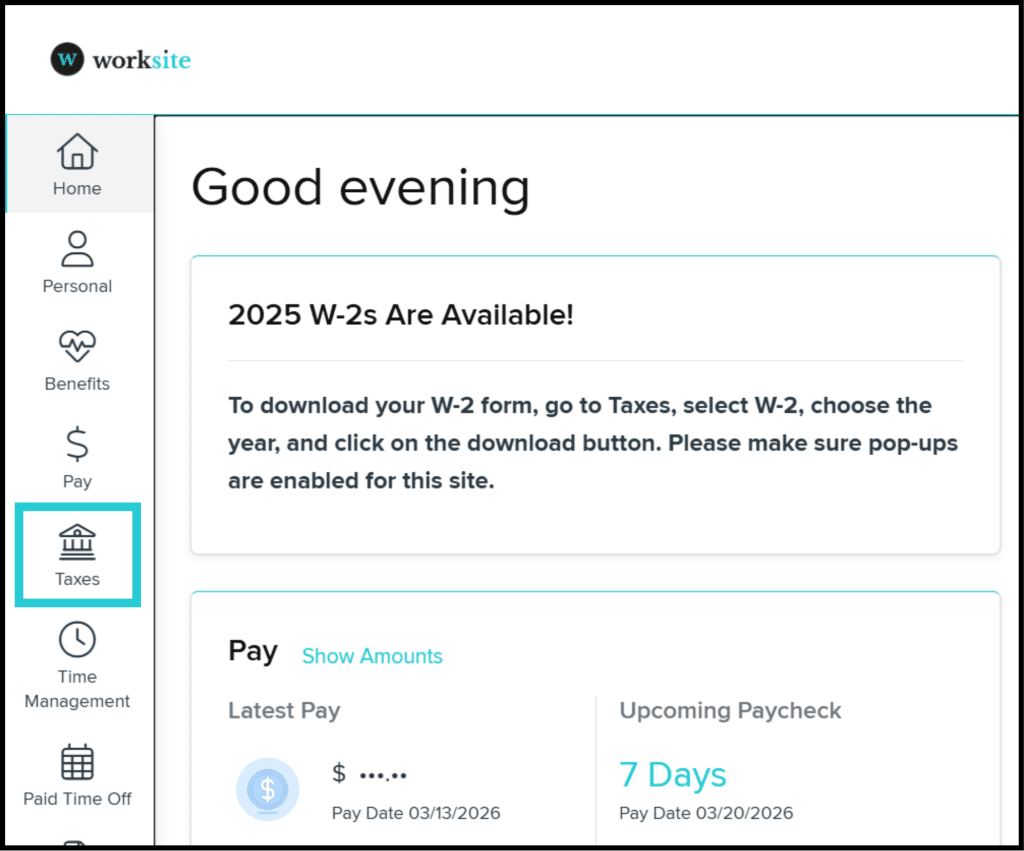
NOTE: If you are using mobile, the menu where TAXES is located is under this icon in the top corner of your screen.

Step 4: Select Your W-2 Form
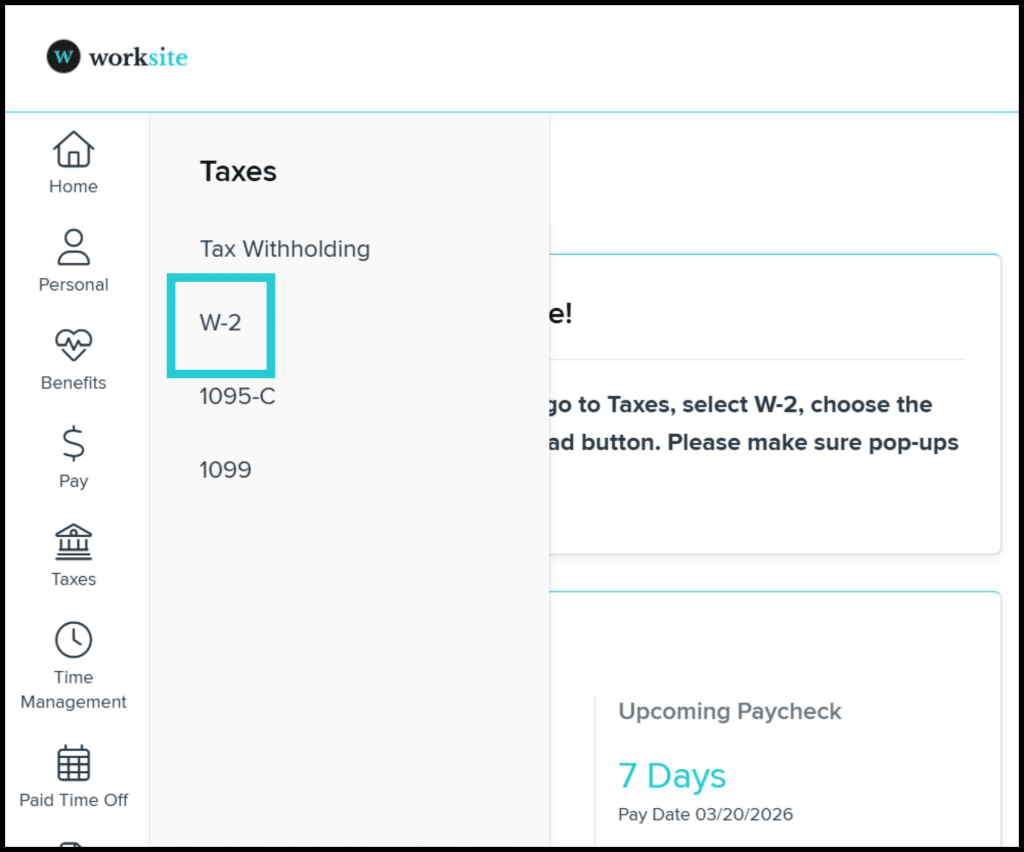
Choose the W-2 option from the pop-up menu in the Taxes section. This will open the page where you can download past and present W-2s as PDFs.
Step 5: Download Your W-2
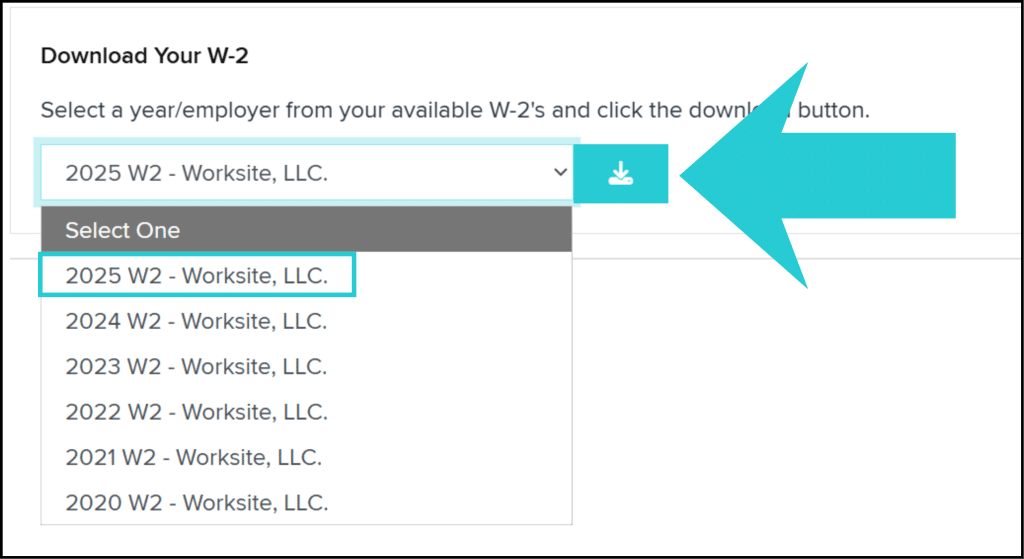
Select the year of the W-2 you wish to view, and then click the download button.
What If You Cannot Access Your W-2?
If you have trouble accessing your W-2 through the employee portal, there are a few steps you can take:
- Double-check that you are using the correct login credentials.
- Try resetting your password if you cannot access your account.
- Send us a message through www.WorksiteHR.com/Contact-Us/ or email us at Info@WorksiteHR.com for assistance.
Your employer can also help verify your account access or guide you through retrieving the document.
Why Online Access Is Helpful
Accessing your W-2 online offers several advantages:
- Faster access during tax season
- Ability to download copies anytime
- Reduced risk of lost or delayed mail
Many employees find the online portal to be the easiest way to retrieve important payroll documents.
Your W-2 form is an essential part of filing your taxes, and Worksite’s employee portal makes it simple to access when you need it. By logging into the portal and downloading your form, you can quickly gather the information needed for tax preparation.